
Honestly this is not my type of a blog post, not C# or any new technology. But last 2 weeks I met around 4 people who complained that IE is great, but we cannot get the Google search in the address bar, thus they use other browsers.
I’m not into this browser war. But when someone says the above as a reason that they can’t use IE, as MS passionate I have to explain them how to do that. So that’s what this post is all bout.
How to configure the Google search in IE 9 address bar. (Click on the images to view in full size)
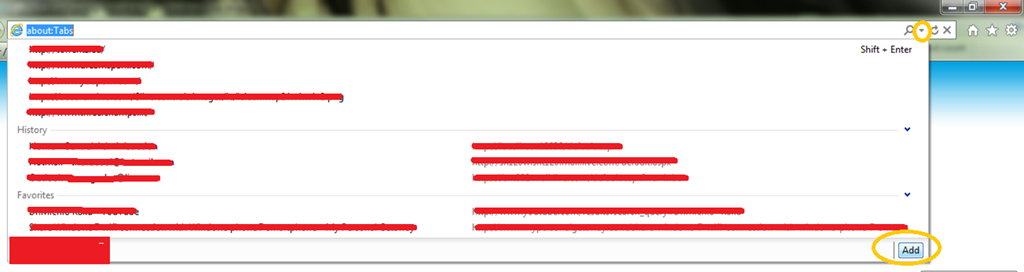
Open IE and click the address bar drop down (circled in yellow in right hand top corner) and in the drop down click the Add button.
This will open up the IE Gallery and in the search tab, search for the Google and add it. It is simple as that. When adding it will ask that do you want to make the new search provider as the default one. Tick that and also tick the suggestions option to get search suggestions.
Simple as that. But it is very unfortunate that even people in the technical field who deal with browsers in all time are not aware of this.
 Versatile Digital DNA